
No one to run lines with?
Hear the other parts, say yours in the gaps, and find out what you actually know.
What a partner gives you
A partner gives you three things: your cue in someone else's voice and timing, your own line out of sight, and someone to notice what you dropped. You can get most of that on your own, if you set it up.
Record the other parts
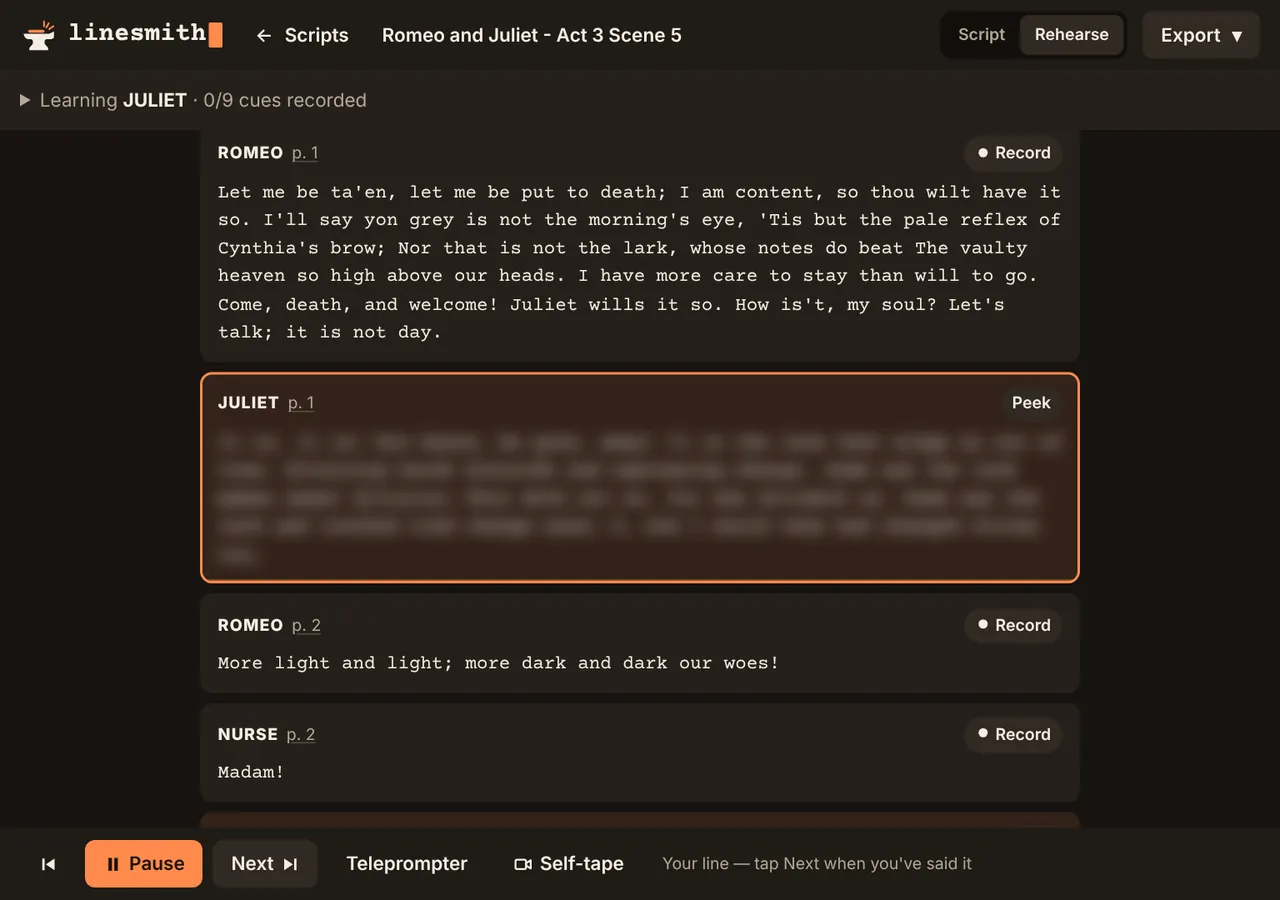
Record the cues, in your voice or a friend's, and leave a gap after each for your line. Then play it back and speak into the gaps. Keep the reading fairly plain: on the day you'll be answering someone else's reading, so don't learn to rely on yours.
Recording the other parts has a second use: you hear the scene from their side, and notice what they want from you.
Keep your lines out of sight
If you can see your line, you'll read it, and reading feels like knowing. Cover it, or use something that hides it until you've had a go.
Check, don't trust
Alone, nobody stops you when you paraphrase, and paraphrase creeps in. After a run, check the lines you weren't sure of word by word, and run those again from their cues.
Pick up your cues
Running alone, it's easy to leave a pause before every line while you find it. Once you know the words, come in on the cue, without the gap. In the scene, a pause should be a choice your character makes, not you searching for the line.
Run it on the move
Once you're close to off book, listen through the scene on a walk or a commute with your lines left as gaps, and say them under your breath.
Learning LADY BRACKNELL
I have lost both my parents.
To lose one parent, Mr. Worthing, may be regarded as a misfortune; to lose both looks like carelessness.
Read Lady Bracknell's line once.
In Linesmith
Pick the part you're learning and the rest of the cast is read for you: by your device's voice (choose an accent, or a voice for each character), or by recordings you or a friend make. Your lines stay blurred until you've said them.
In Chrome and Safari, Linesmith can listen as you speak and carry on when it hears your line, then show the words it missed. Most browsers send that audio to Google or Apple to be recognised; the settings say so, and you can type your lines instead and get a score. Listen plays the scene hands-free with your lines as gaps, at the speed you choose, and with every cue recorded it keeps playing with the screen off.